
Turn Policy Into a Proven Decision Service.
Model decisions visually, inspect live values, review every AI change, protect expected outcomes with reusable tests, and publish for people, systems, and agents.
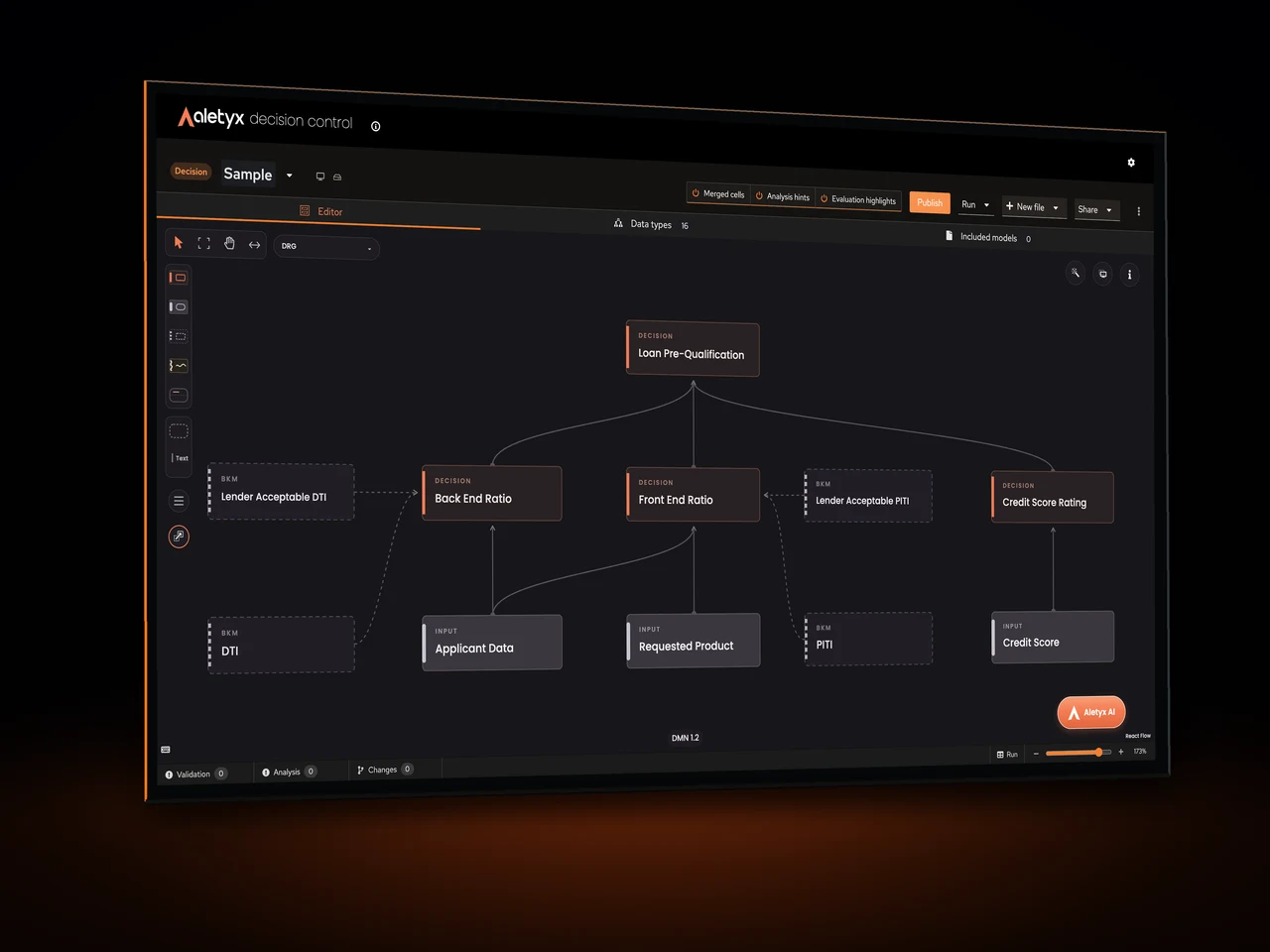
The Model, Tests, and Runtime Stay Together
Author the model. Run it against real inputs. Inspect values in place. Review AI-generated changes. Protect expected outcomes with test scenarios. Publish with the results in view. Then expose the decision to applications and agents—and trace every execution.
- 01AuthorModel policy visually in DMN.
- 02DebugInspect the value behind every result.
- 03ReviewSee and approve each AI-proposed edit.
- 04ProvePin expected outcomes and rerun them.
- 05PublishRelease with test evidence in view.
- 06OperateServe agents and trace every execution.
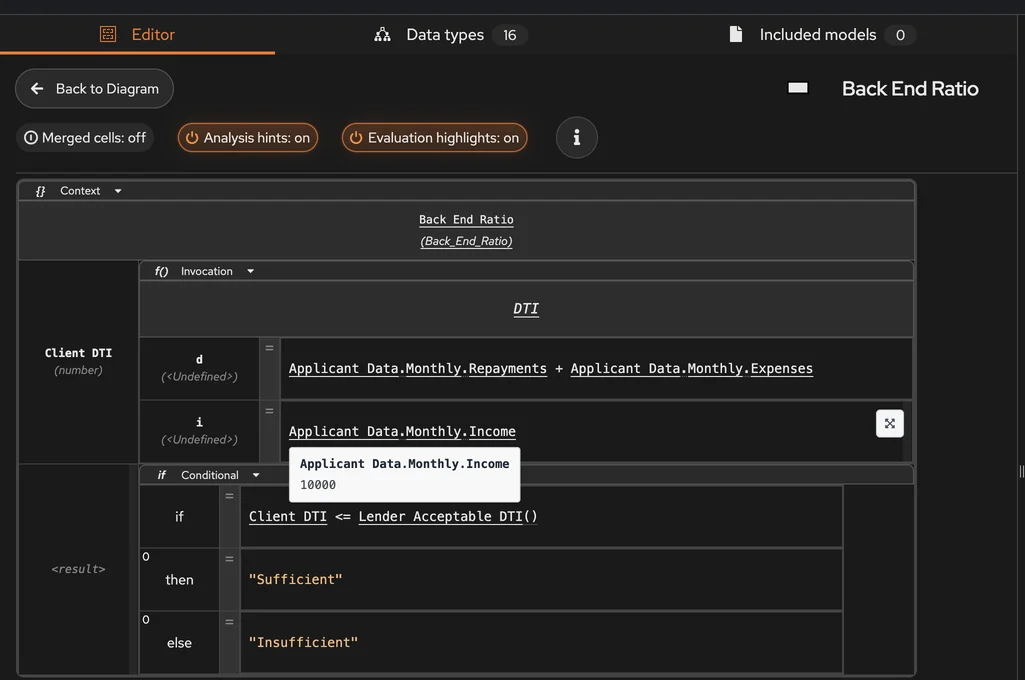
See the Values Behind the Result
Run a scenario beside the model, then hover inputs and intermediate expressions to see the values used in that evaluation. Evaluation highlights reveal the path while the output panel shows every evaluated decision.
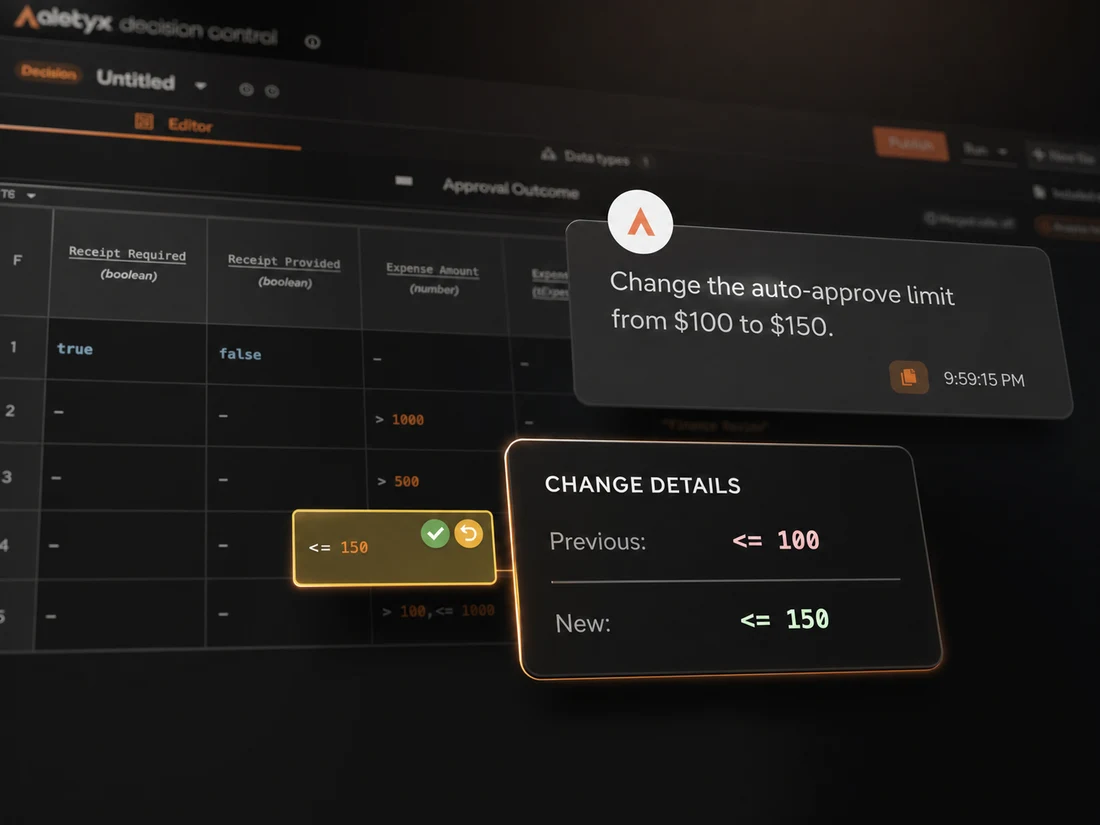
AI Drafts the Change. You Approve It.
Ask the Assistant to update the model in plain language. Decision Control marks every proposed edit and shows the previous and new value, so you can accept or revert changes individually before moving on.
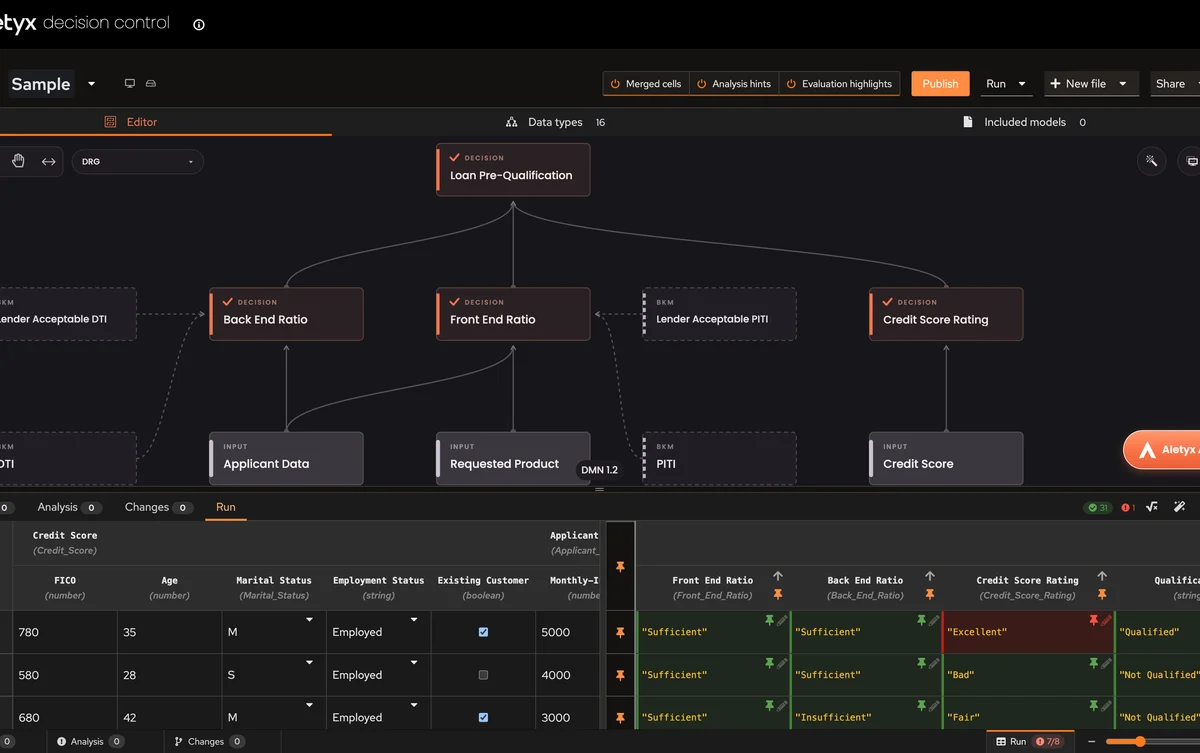
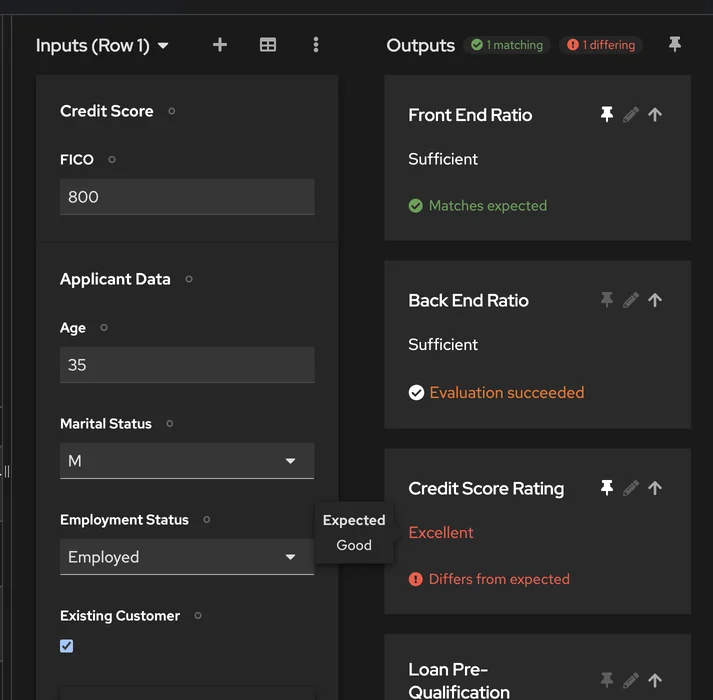
Pin the Outcomes That Must Not Change
Mark important outputs as expected, add scenarios to a test table, and rerun them after an edit. Matches stay green; a difference shows the expected and actual value at the field and scenario level.

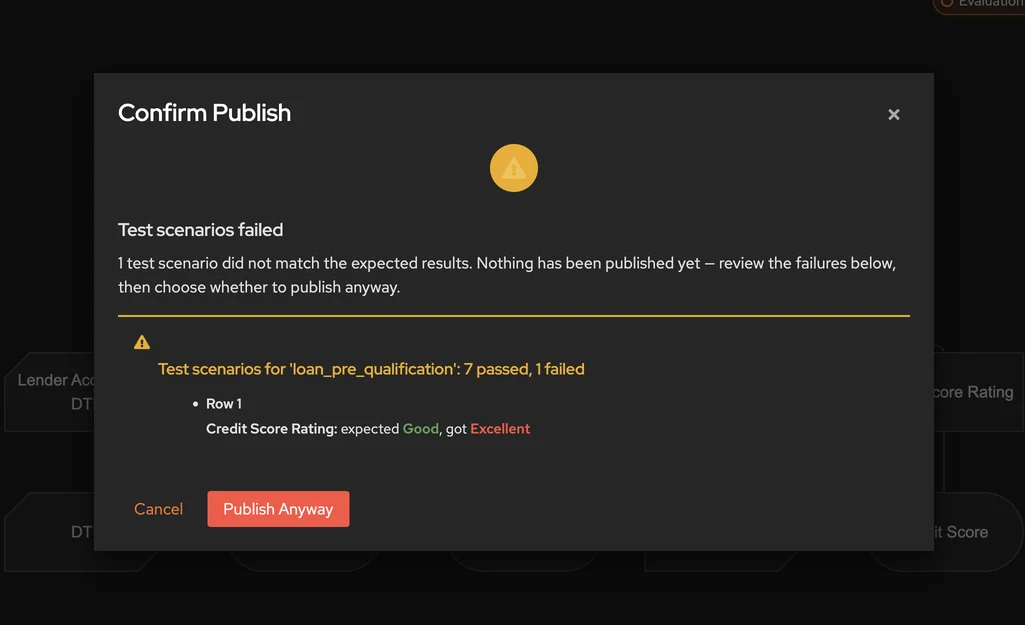
Publish With the Test Evidence in Front of You
When you publish, Decision Control checks the model's test scenarios and presents the result first. If one fails, it shows the exact mismatch and nothing has been published yet. Cancel to fix it—or explicitly choose Publish Anyway.
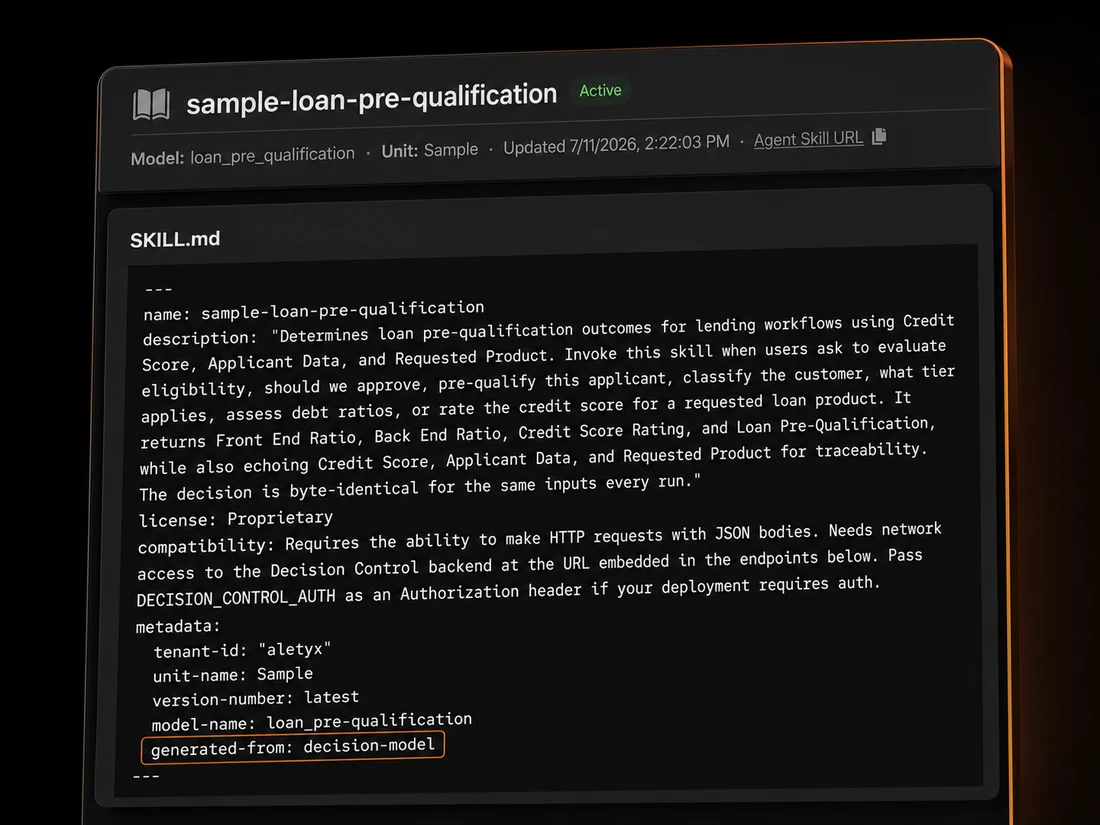
Turn a Published Decision Into an Agent-Ready Skill
Generate a SKILL.md from the governed decision model with its purpose, scope, required inputs, endpoint, and invocation instructions. Share the Agent Skill URL or download the bundle so an agent can discover and call the decision correctly.
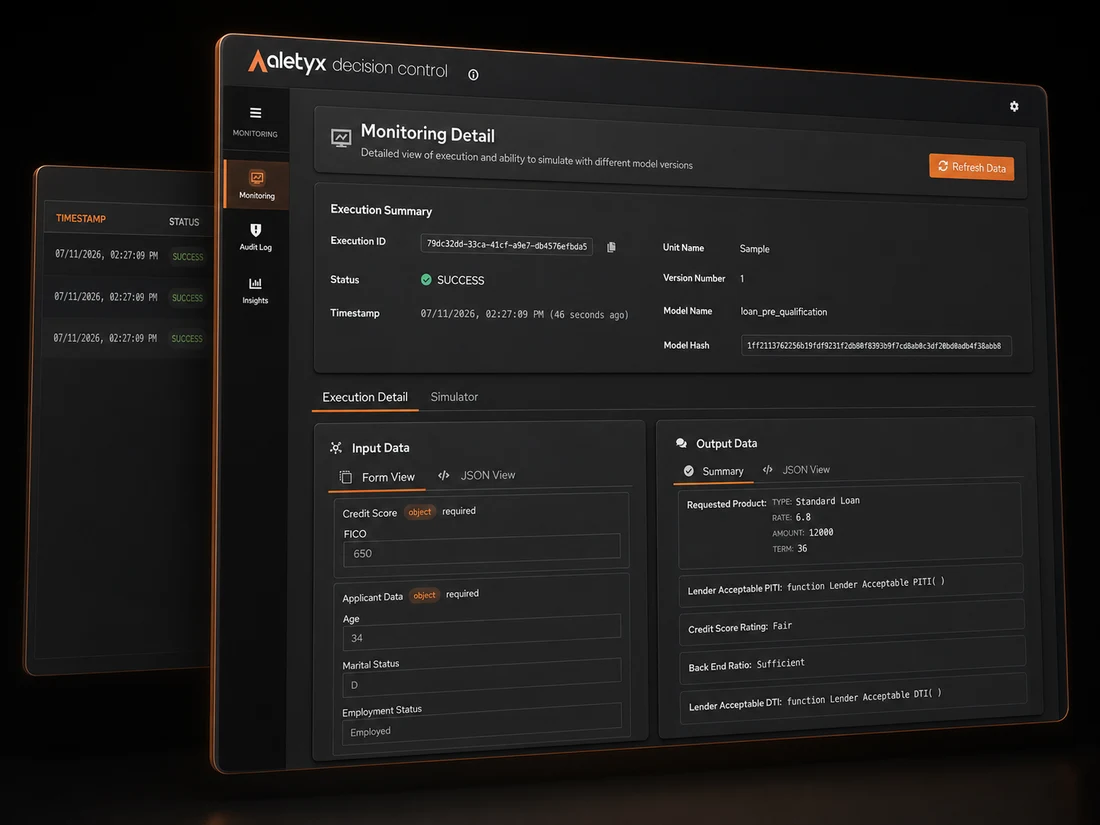
Trace Every Outcome to the Exact Model Version
Open an execution record to see its status, timestamp, model version and hash, inputs, and outputs. Use the simulator to replay the case against another model version and understand what would change.
A Decision Editor Is Not a Decision Lifecycle
Visual authoring and live runner
Live evaluation insight
AI-assisted model changes
Reusable expected outcomes
Publish verification
Agent-ready delivery
Execution evidence
Clear answers to your questions.
01Do analysts need Java or a local development environment?
02How does the AI Assistant change a model?
03What are pinned test outputs?
04What happens if a test fails during publishing?
05How do agents use a published decision?
06What does Decision Control Tower add?
07Can I import my existing DMN files?
08How is Decision Control different from Business Central?
Take One Decision FromPolicy to Production
Bring an existing DMN model or start from a policy. See how Decision Control helps your team model, test, review, publish, and trace it in one governed lifecycle.
No Java required. Use your own model or start with a guided example.